Getting Started
To get NexusEdgeGw up and run, please access to its webUI. For network connection, NexusEdgeGw has support router features, you can treat it as a router with default IP address 192.168.1.1
Power on the NexusIM device which has prebuit NexusEdgeGw software, and start the journey. This document mainly take NexusIM NXG3 gateway as example to demonistrate NexusEdgeGw features, and mention it "NexusIM gateway" in general.
-
Connect NexusIM gateway LAN port to your PC ETH port directly. Since the NexusEdgeGw running a DHCP service, your PC will obtain an IP address 192.168.1.x from NXG3 automatically. If not, please check if your PC has configured a static IP address manually, please change it to same LAN as 192.168.1.x at 255.255.255.0 mask, with default gateway IP 192.168.1.1
tipYou can also connect your PC to NexusIM gateway by Wi-Fi, search the NXG3 Wi-Fi SSID "NXG3_<xxxx>" and connect it with default password "admin123"
-
Open a web browser on your PC and enter http://192.168.1.1 address. The NexusEdgeGw webUI will appear and request an username and password to login.
-
Enter the default username password "admin/admin" to login the webUI of NexusEdgeGw.
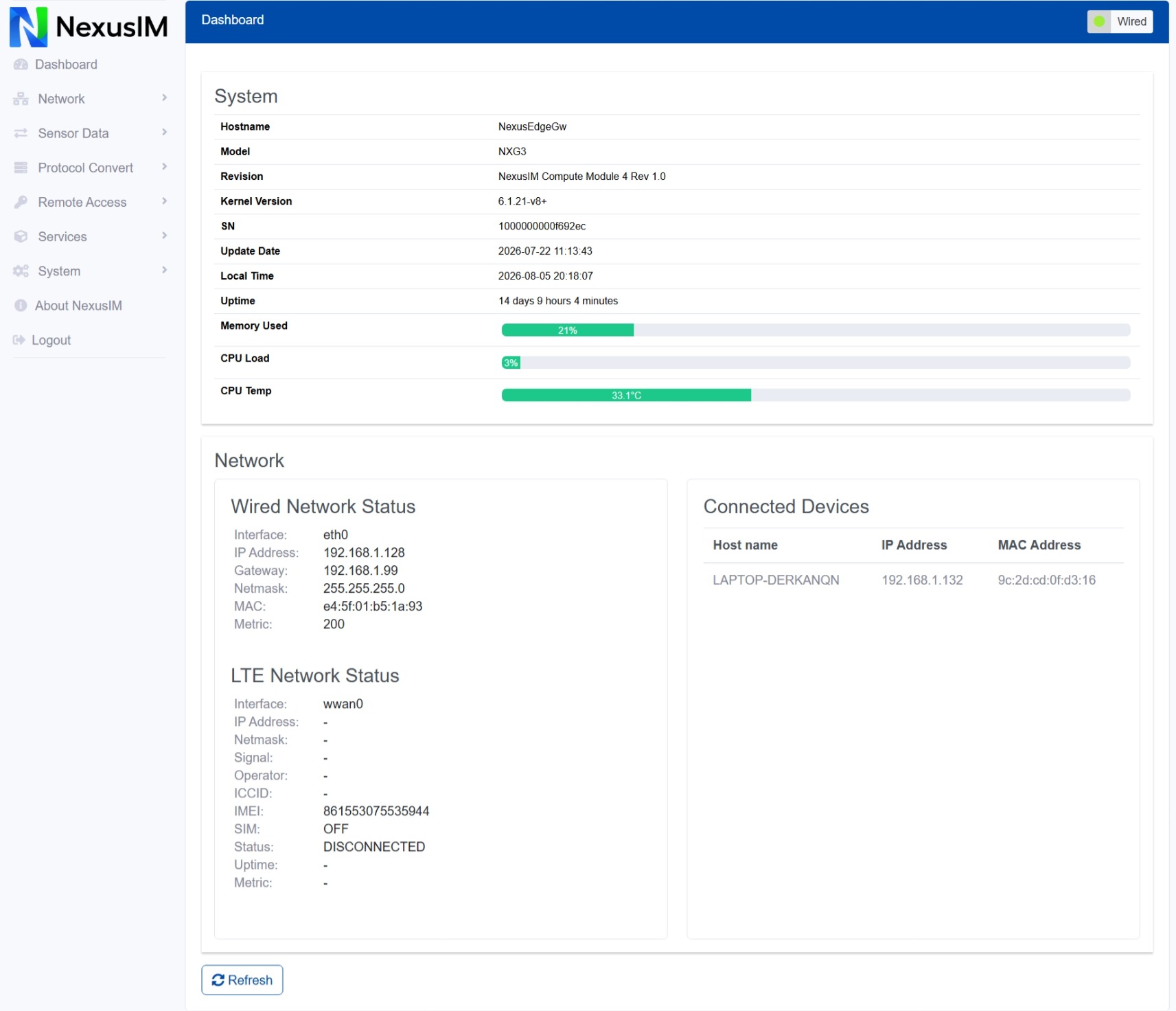
- You can also access the webUI via NexusIM gateway WAN IP address, the typical connectivity is your PC and NexusIM gateway WAN both connect on your office router (upper level router), so that your PC and NexusIM gateway are both in your office router's LAN, which allows your PC access to NexusIM gateway via its WAN IP address.
- For security reasons, we suggest changing the default password under "System >> Authentication" menu after the first login.
The NexusEdgeGw configuration settings are organized under the following pages:
-
Dashboard: Dashboard to monitor the system and network status
-
Network: All networks related configuration settings
-
Data Collect: Data acquisition related configuration settings, divide to southbound and northbound connection settings.
infoA typical data flow like collecting Modbus data from southbound device, and report it to northbound application via MQTT.
-
Protocol Convert: protocol convert between Modbus RTU and Modbus TCP, BACnet MSTP and BACnet IP.
-
Remote Access: Remote access the gateway by DDNS, VPN, and other platform for field devices management remotely.
-
Services: 3rd party service integration like Node-Red, LoraWAN NS Chirpstack, Docker.
-
System: System related and device configuration settings.