Open VPN
Go to Remote Access>> VPN >> OpenVPN to view and configure the OpenVPN related settings.
-
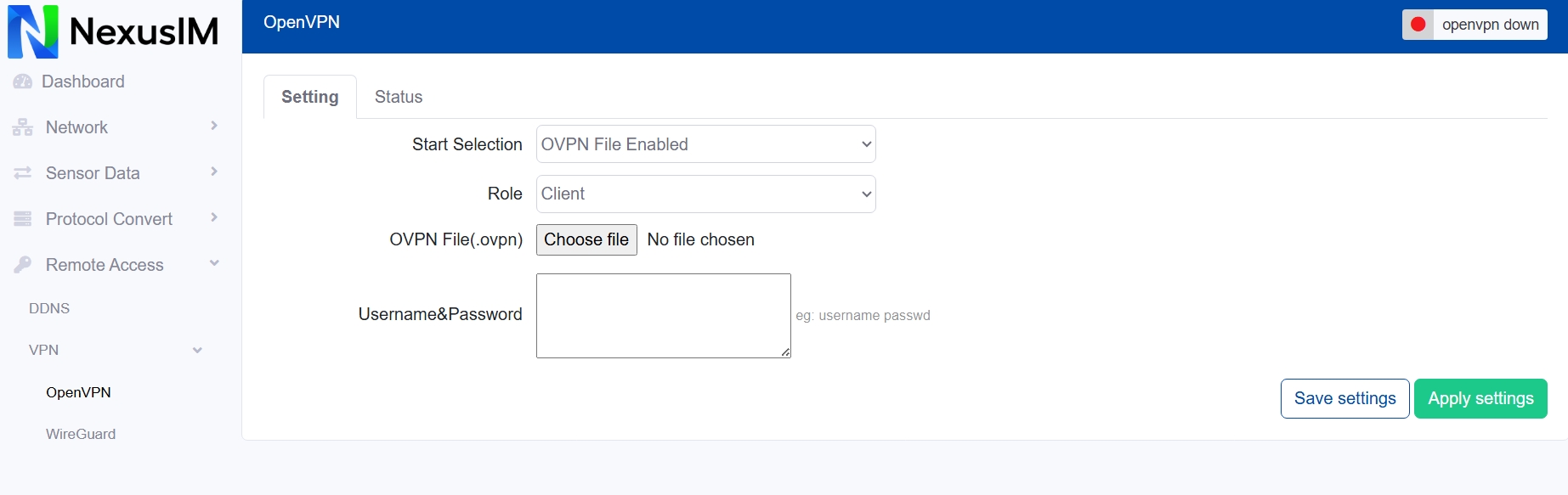
Enable/Disable the OpenVPN feature on NexusIM gateway, the Start Selection provides two methods to configure the OpenVPN connection,
(a) Via ovpn config file upload, this requested you upload the config file (.ovpn) to NexusIM gateway to setup it.
- Select the Role of NexusIM gateway act as OpenVPN Client, or Server
- Upload the config file (.ovpn) to NexusIM gateway
- Input the Username and Password
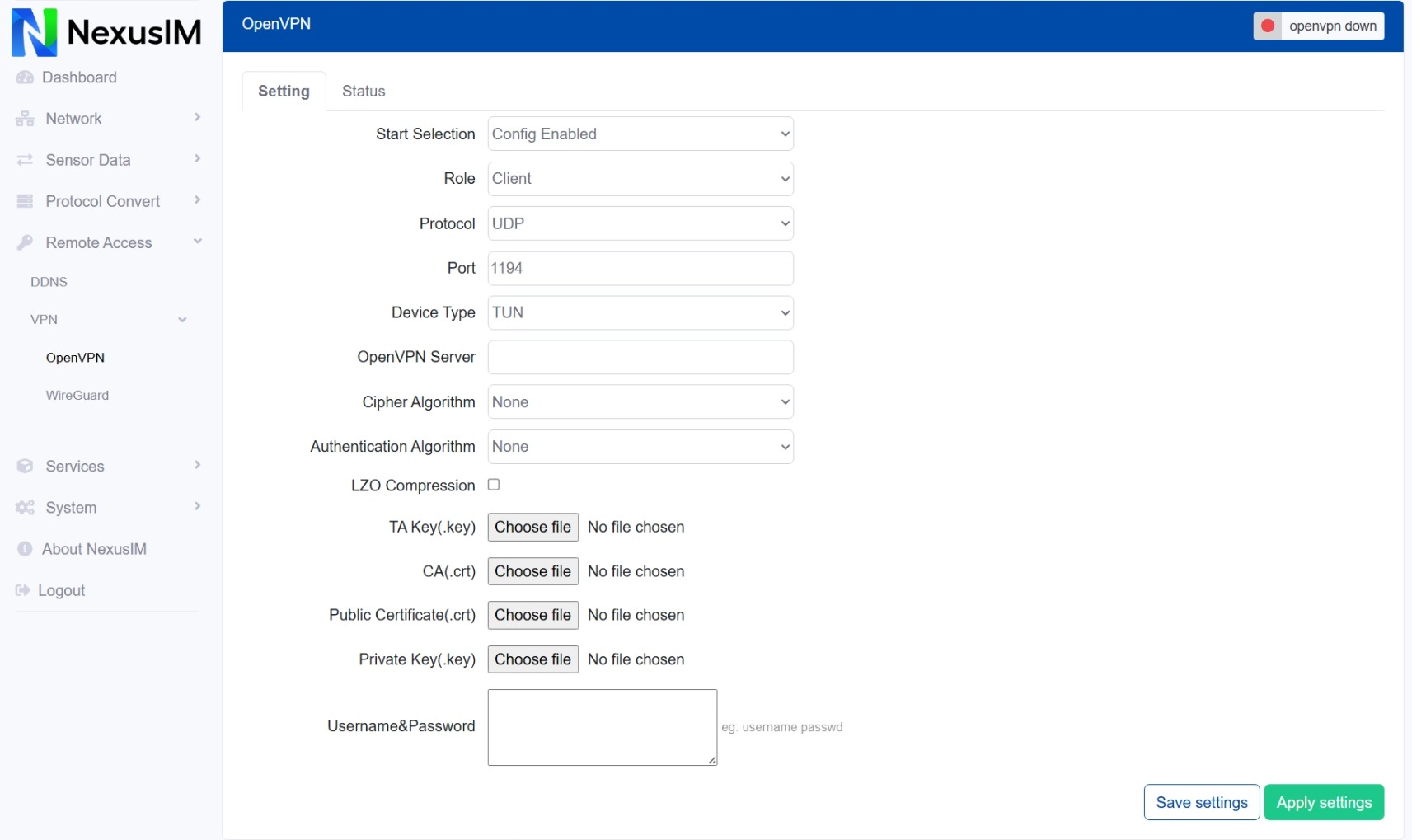
(b) Via config setting items, this request you configure the OpenVPN related settings on webUI.
- Configure the transmitted Protocol use UDP or TCP
- Configure the port
- Configure the Device Type, options TUN or TAP
- Configure the OpenVPN Server address (gateway act as client case)
- Configure the Cipher Algorithm, options have “None”, “BF-CBC”, “DES-EDE-CBC”, “DES-EDE3-CBC”, “AES-128-CBC”, “AES-192-CBC”, “AES-256-CBC”
- Configure the Authentication algorithm
- Enable/Disable LZO Compression
- Upload the certificates and key files
- After finished the settings, Save and Apply settings, you can check the OpenVPN connection status at “Status” menu.