ASCII Rules
Use ASCII Rules to configure commands and parse plain-text serial or stream-based payloads from southbound devices into structured sensor tags. Go to Sensor Data > Devices and Rules > ASCII Rules to view and configure ASCII rules.
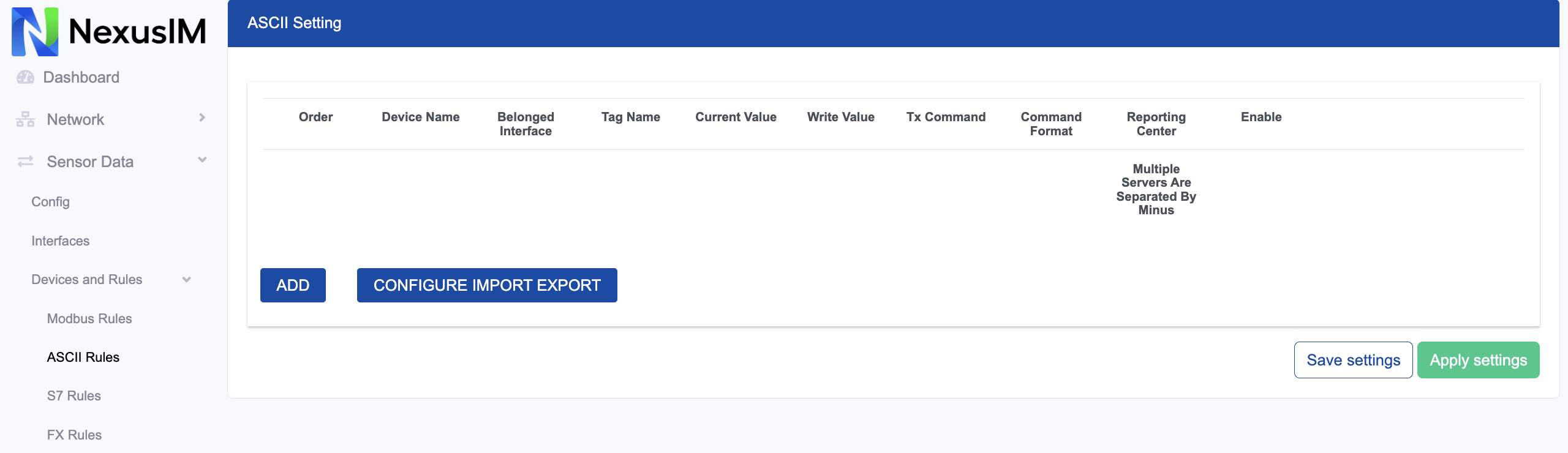
- Preview the current value collected from the southbound device for this rule.
- Edit the added rule.
- Delete the added rule.
- Add a new rule.
- Export or import the rules configuration as a CSV template file. This is useful for configuration backups and batch operations.
Add an ASCII Rule
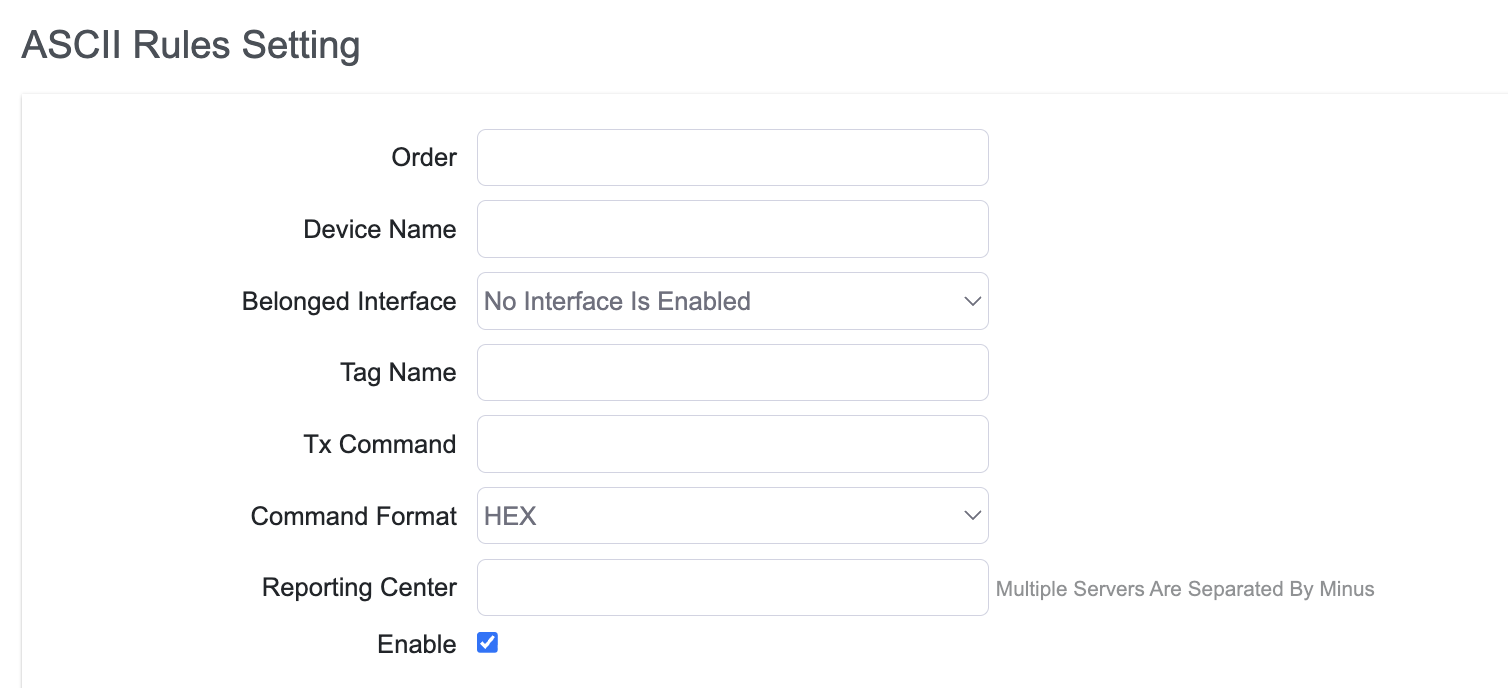
- Set the ASCII rule order.
- Specify the slave device name.
- Configure the interface to which the rule applies.
note
at Interface>> Serial Port setting or TCP Server setting should select “ASCII” protocol first before add an ASCII communication rule.
- Configure the Tag Name for data returned from the slave device.
- Configure the Tx command sent to the slave device.
- Select the command data format:
ASCIIorHEX. - Specify the reporting center to which the collected data is reported. The number corresponds to Servers > Reporting Center > Server (
1-5). - Enable or disable the rule.