BACnet Rules
BACnet (Building Automation and Control Networks) is a communication protocol designed for building automation and control systems. It supports communication over media such as IP and RS-485.
Use BACnet Rules to configure the NexusIM gateway as a BACnet client for communicating with southbound BACnet devices over BACnet MS/TP or BACnet/IP.
Go to Sensor Data > Devices and Rules > BACnet Rules to view and configure BACnet rules.
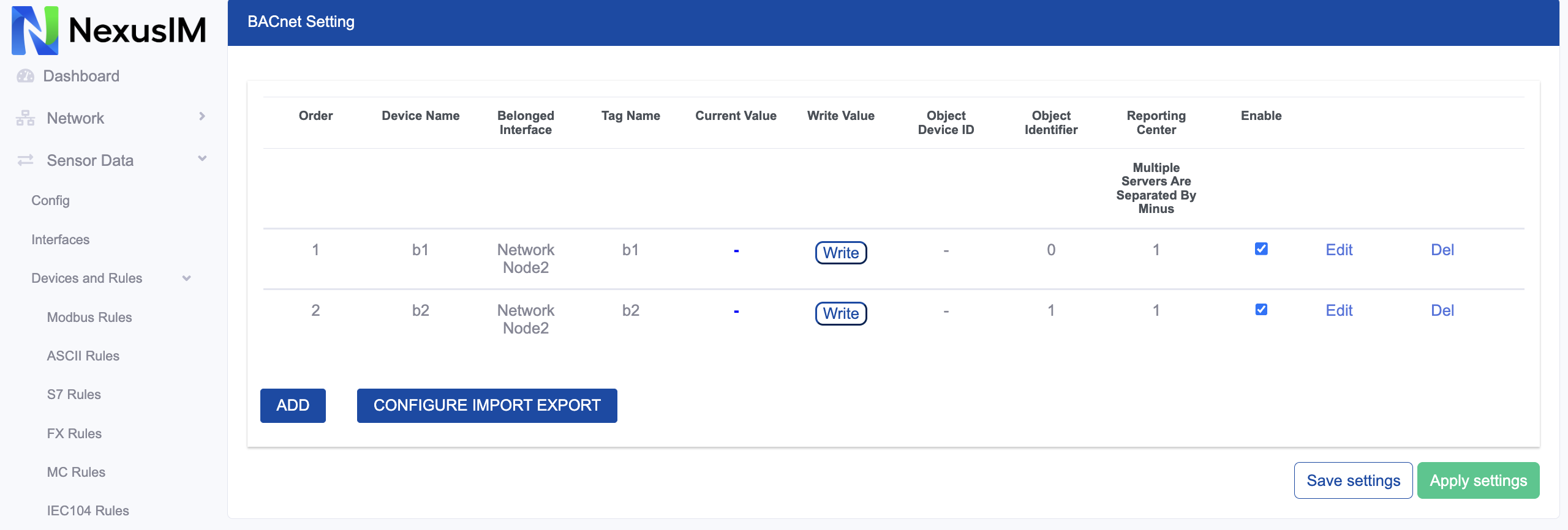
-
Enable or disable the BACnet Rule feature.
-
Select the BACnet/IP or BACnet MS/TP protocol. This example uses BACnet/IP.
-
Select the IP-based communication interface used to reach southbound devices. Options are:
br0for a LAN connectioneth0for a WAN connectionwlan0for a Wi-Fi client connectionwwan0for a cellular network connection
noteBACnet uses UDP broadcast to reach southbound devices.
-
Configure the southbound device port.
-
Configure the NexusIM gateway BACnet client device ID.
-
Select the collection mode. Options are:
Pollto periodically collect data from the southbound deviceCOVto collect data through subscriptions
Add a BACnet Rule
Click Add to create a new BACnet collection rule.
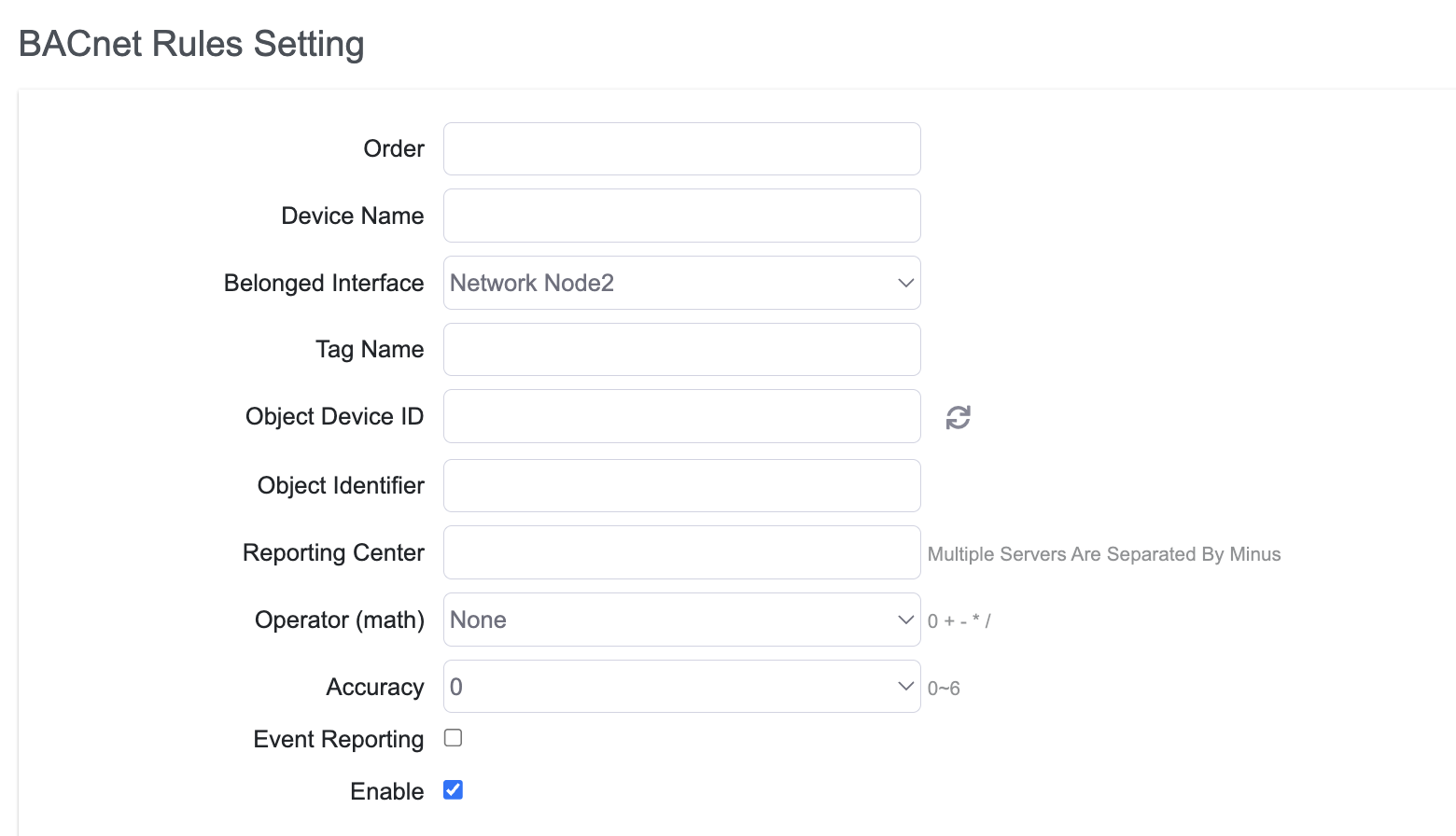
- Set the rule order.
- Specify the southbound device name.
- Configure the Tag Name for data collected from the southbound device.
- Configure the Object Device ID manually, or use the scan button to find BACnet southbound device IDs automatically.
- Configure the Object Identifier.
- Specify the reporting center to which the collected data is reported. The number corresponds to Servers > Reporting Server (
1-5). - Configure the operator and operand to calculate the collected data.
- Configure the accuracy of the calculated value, including the number of decimal places.
- Enable or disable the rule.
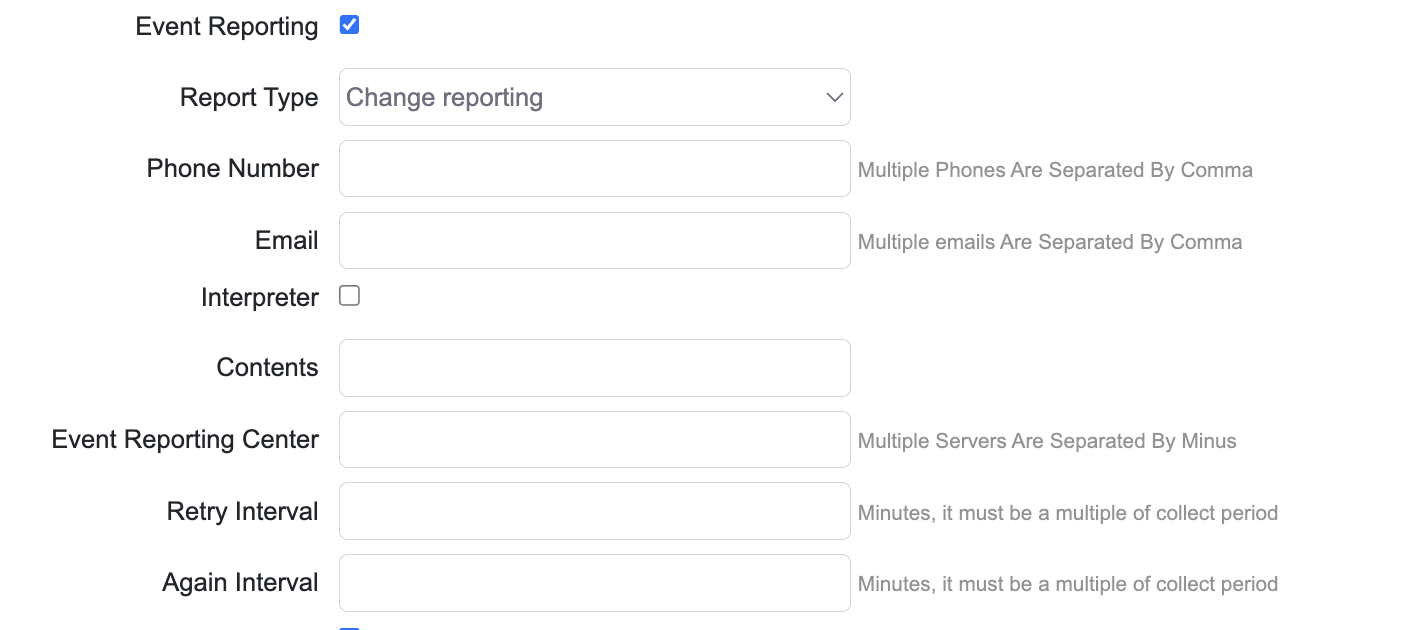
The following example shows the event reporting configuration: