FX Rules
Use FX Rules to configure data collection from Mitsubishi FX series PLCs.
Go to Sensor Data > Devices and Rules > FX Rules to view and configure FX rules.
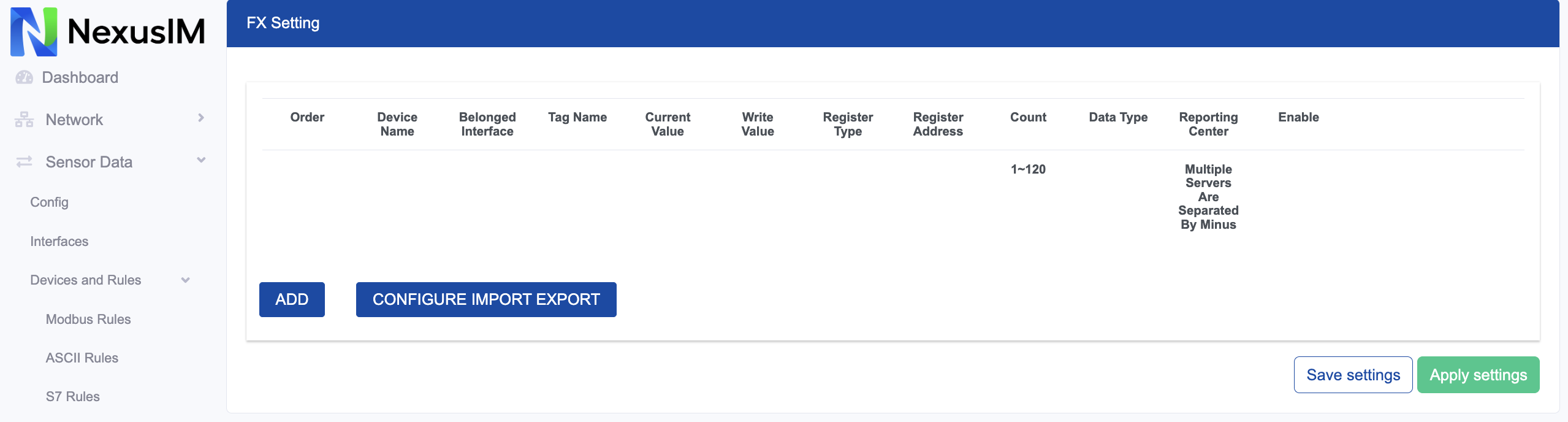
- Preview the current value collected from the southbound device for this rule.
- Edit the added rule.
- Delete the added rule.
- Add a new rule.
- Export or import the rules configuration as a CSV template file. This is useful for configuration backups and batch operations.
Add an FX Rule
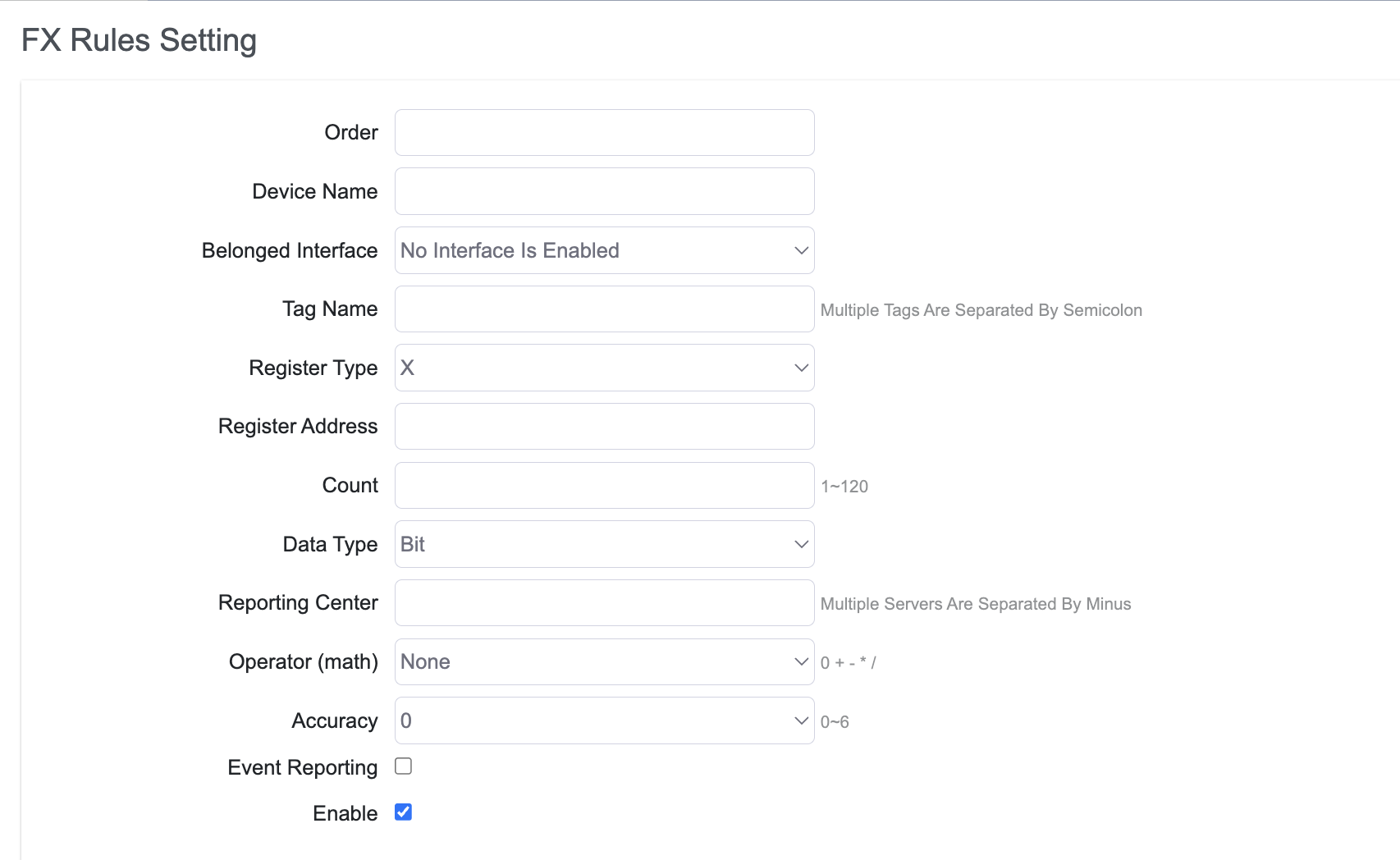
Click Add to create a new FX rule.
-
Set the FX rule order.
-
Specify the slave device name.
-
Configure the interface to which the rule applies.
noteSelect the
FXprotocol in Interface > Serial Port Settings or TCP Server Settings before configuring an FX communication rule. -
Configure the Tag Name for data returned from the slave device.
-
Configure the FX PLC register type. Options are
X,Y,M,S, andD. -
Configure the register address.
-
Configure the register quantity.
-
Configure the register data type. Options are:
- Bit
- Byte
- Word
- DWord
- Real
-
Specify the reporting center to which the collected data is reported. The number corresponds to Servers > Reporting Server (
1-5). -
Configure the operator and operand.
-
Configure the accuracy of the calculated value.
-
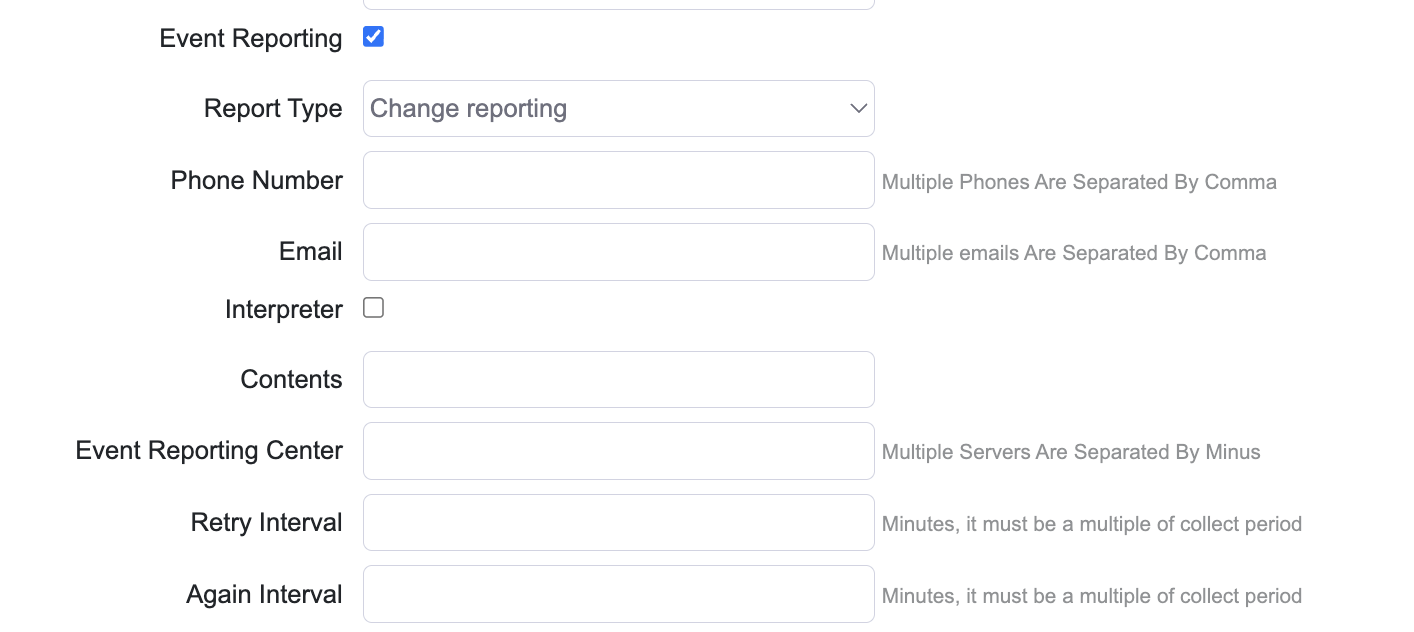
Enable or disable SMS and email reporting. A report is sent to the specified phone number and email address when the value changes or falls outside the configured range.
-
Enable or disable the rule.