OPCUA Rules
OPC UA Protocol (OPC Unified Architecture) is a communication protocol designed for industrial automation, enabling interoperability between different devices and systems.
Use OPCUA Rules to configure communication between the NexusIM gateway and southbound devices through the OPC UA protocol.
Go to Sensor Data > Devices and Rules > OPCUA Rules to view and configure OPCUA rules.
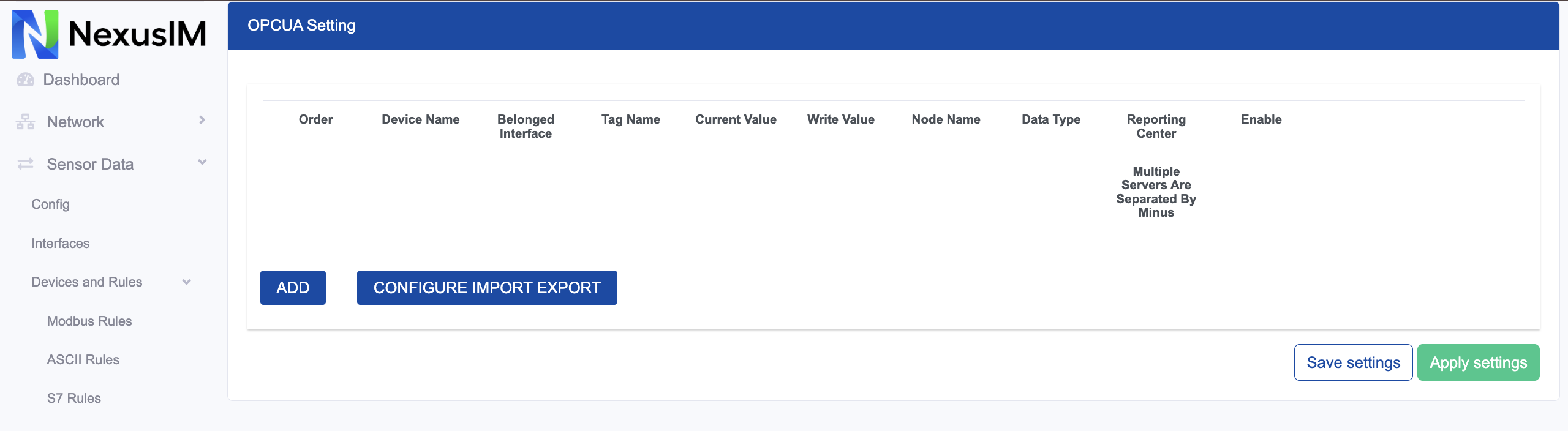
- Preview the current value collected from the southbound device for this rule.
- Edit the added rule.
- Delete the added rule.
- Add a new rule.
- Export or import the rules configuration as a CSV template file. This is useful for configuration backups and batch operations.
Add an OPCUA Rule
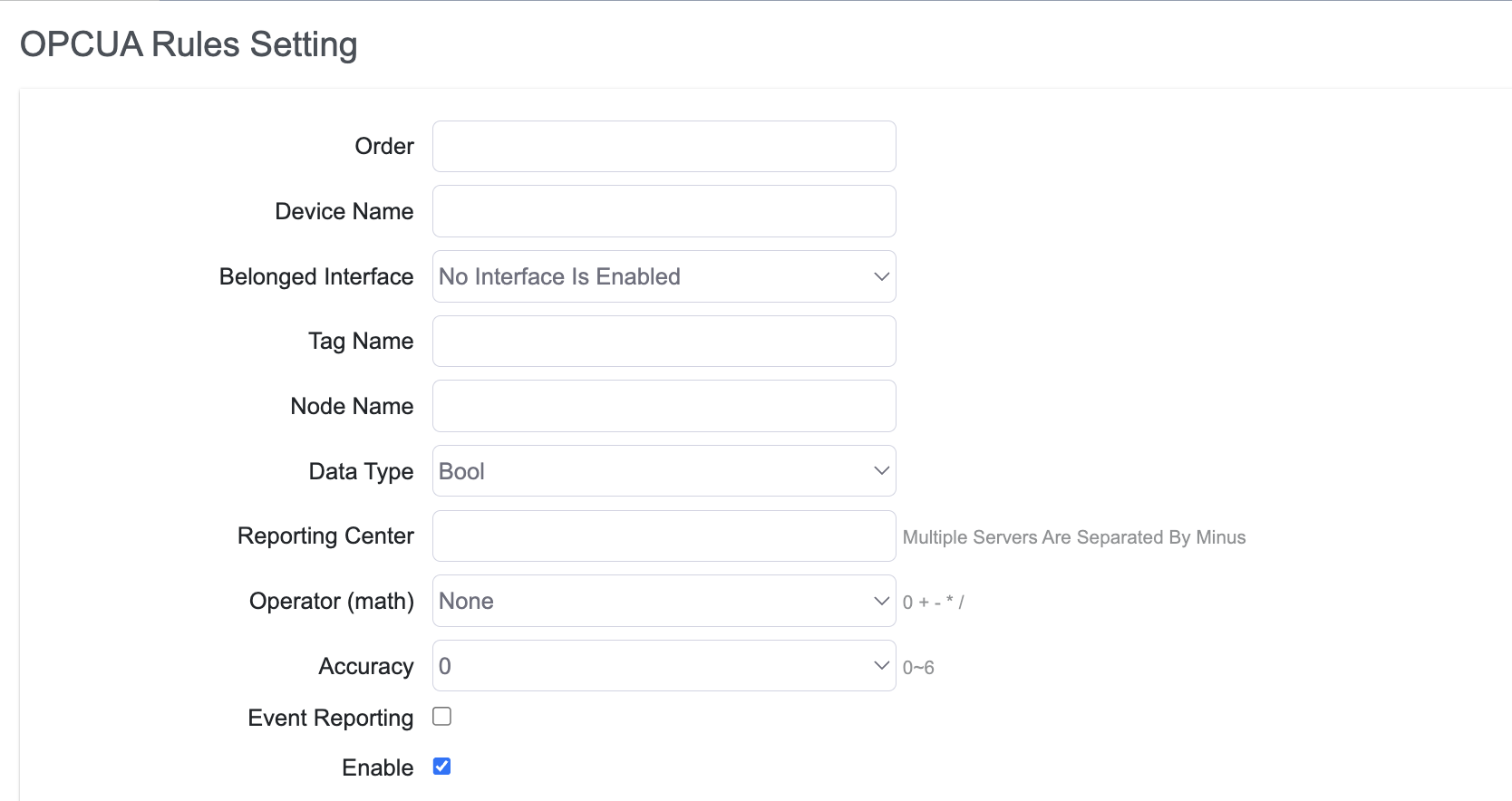
Click Add to create a new OPCUA rule.
-
Set the OPCUA rule order.
-
Specify the slave device name.
-
Configure the interface to which the rule applies.
noteSelect the
OPCUAprotocol in Interface > TCP Server Settings before configuring an OPCUA communication rule. -
Configure the Tag Name for data returned from the slave device.
-
Configure the OPCUA data node name.
-
Configure the data type.
-
Specify the reporting center to which the collected data is reported. The number corresponds to Servers > Reporting Server (
1-5). -
Configure the operator and operand.
-
Configure the accuracy of the calculated value.
-
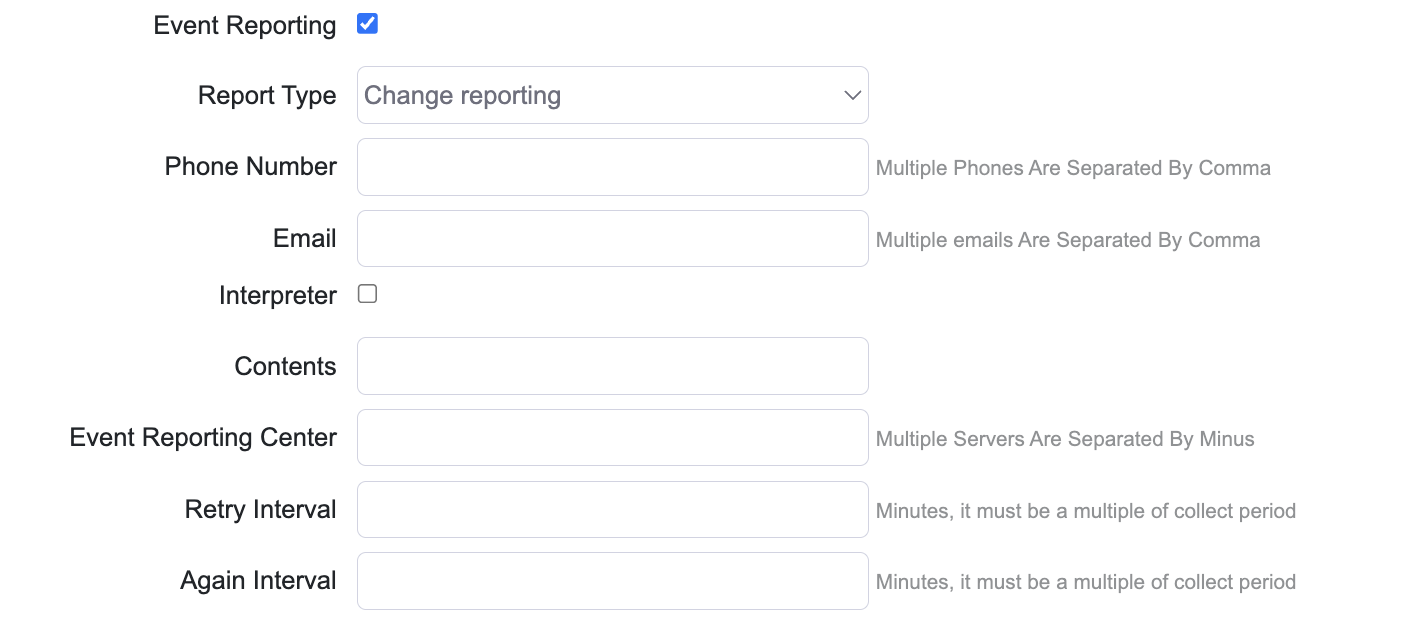
Enable or disable SMS and email reporting. A report is sent to the specified phone number and email address when the value changes or falls outside the configured range.
-
Enable or disable the rule.
The following example shows the event reporting configuration: