OPCUA Servers
Configure the NexusIM gateway as an OPC UA server so northbound OPC UA clients can retrieve data collected through Devices and Rules.
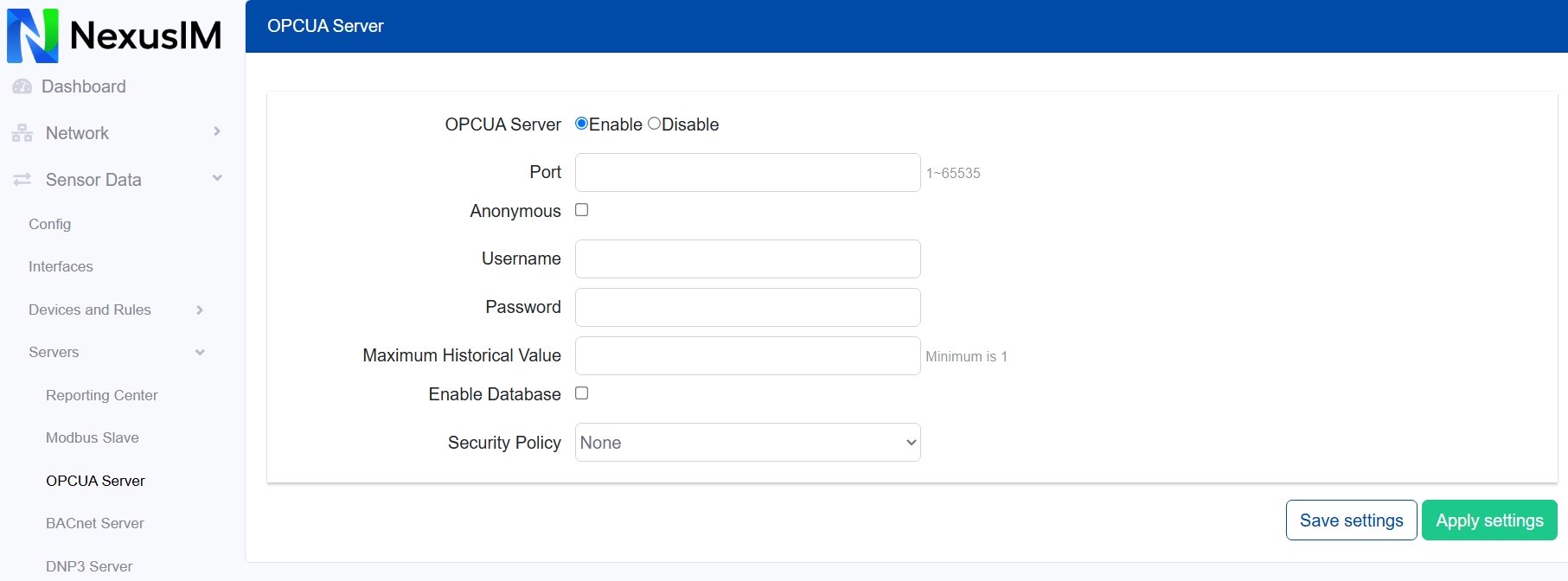
- Enable or disable the OPC UA Server feature.
- Configure the OPC UA Server port.
- Enable anonymous access or require authentication to access the OPC UA server.
- Configure the OPC UA server authentication username.
- Configure the OPC UA server authentication password.
- Configure the maximum historical value count for the OPC UA history feature.
- Enable or disable the database used for historical data.
- Configure the security policy:
None,basic128,basic256, orbasic256sha256. For a policy other thanNone, configure the URI and upload the certificate and key files.