ChirpStack
ChirpStack is an open-source LoRaWAN Network Server (LNS) suite designed for managing and processing communication with LoRaWAN devices. It supports device connectivity, data routing, and integration with third-party applications, making it a useful component in IoT solutions.
NexusEdgeGw includes a prebuilt local ChirpStack deployment so you can process LoRaWAN data applications directly on an NexusIM gateway.
note
Only certain NexusIM gateways that support LoRaWAN include a prebuilt local ChirpStack. You can also use a cloud-hosted ChirpStack deployment.
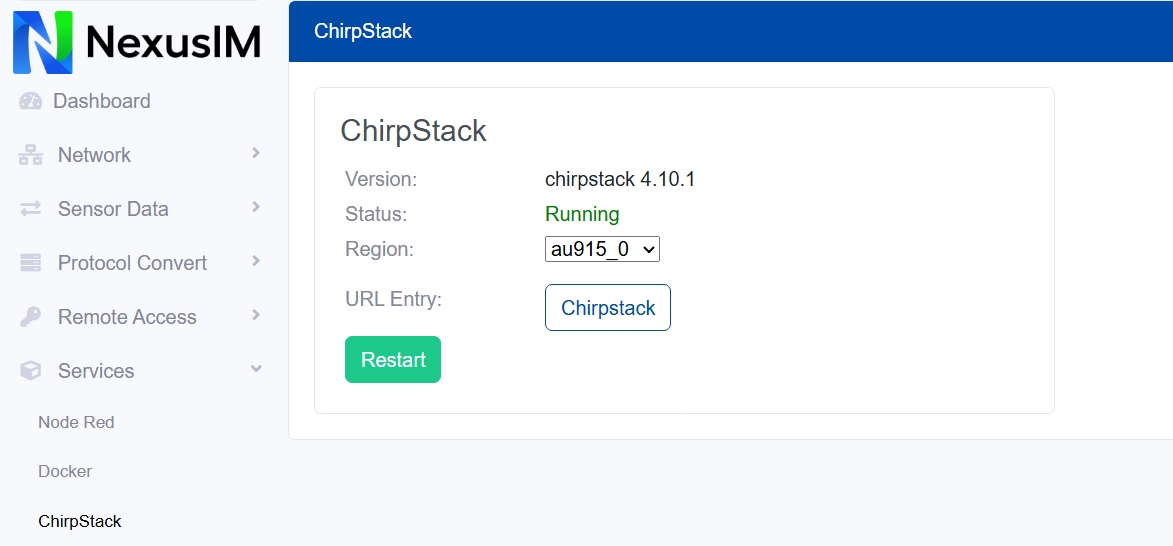
- Check the ChirpStack version and its status (running or stopped) on the NexusIM gateway.
- Select the regional plan that matches your gateway and sensor LoRaWAN region to configure ChirpStack.
- Click the ChirpStack button to open the ChirpStack web portal. It is running on
http://<gateway_ip>:8080. The default login username/password is "admin/admin". - Click the Restart button to restart ChirpStack.