Docker
Docker is an open-source containerization platform that packages, distributes, and runs applications with their dependencies, ensuring cross-platform consistency and efficient deployment. Portainer is a visual management tool that simplifies managing Docker containers, images, and networks, allowing users to handle containerized environments without complex commands. For how to use Docker and Portainer, please refer their official instruction for more details.
NexusEdgeGw prebuilt Docker platform and Portainer for you easily managing and running Docker applications on NexusIM gateway.
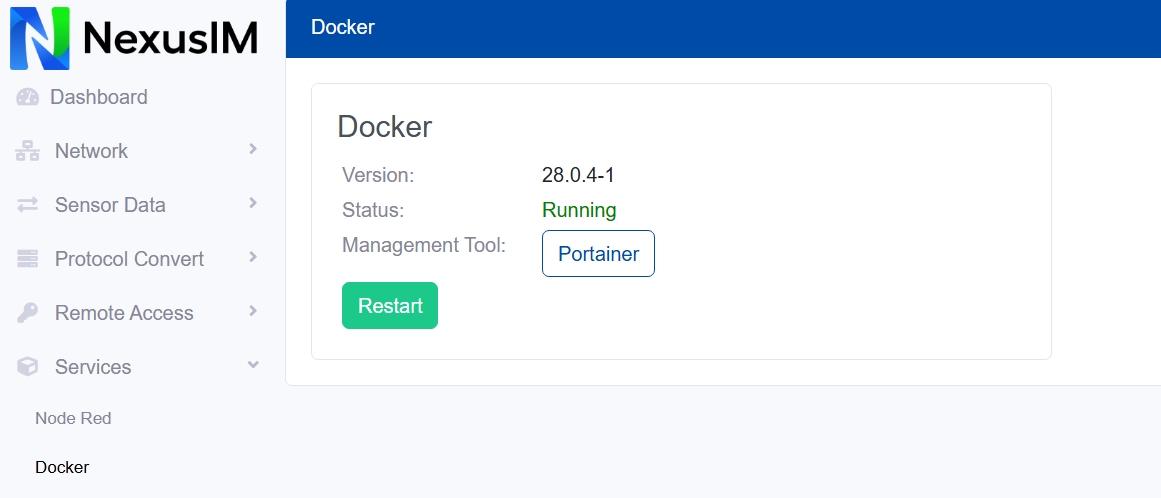
- Check the Docker version and its status (running or stopped) on NexusIM gateway
- Click the Portainer button to open the web portal of Portainer, it’s running on
http://<gateway\_ip>:9100The default Portainer login “username/password” is “admin/admin” - Click the Restart button to restart Portainer. Your Portainer instance may timed out for security purposes. To re-enable your Portainer instance, you will need to restart Portainer.